SALEM, OR — Coach Hub will open with Season 36, and every coach will need a 2K OLF website account to access it.
This guide explains how to create your account, log in, access Coach Hub, and what to do if something does not look right.
Create Your 2K OLF Account
Your 2K OLF account will be created for you using the email address we have on file.
Once your account is ready, you'll receive an email with instructions for setting your password.
Use the same email address associated with your account when logging in to 2KOLF.com.
You do not need to register for a new account on the site.
Once your account has been created and your league access has been approved, you will be able to log in and access Coach Hub.
Log In
After your account is ready, log in to 2KOLF.com using the username or email address associated with your account. Once logged in, you will be able to open Coach Hub from the site navigation.
Coach Hub is only available to logged-in league members.
Your Team Assignment
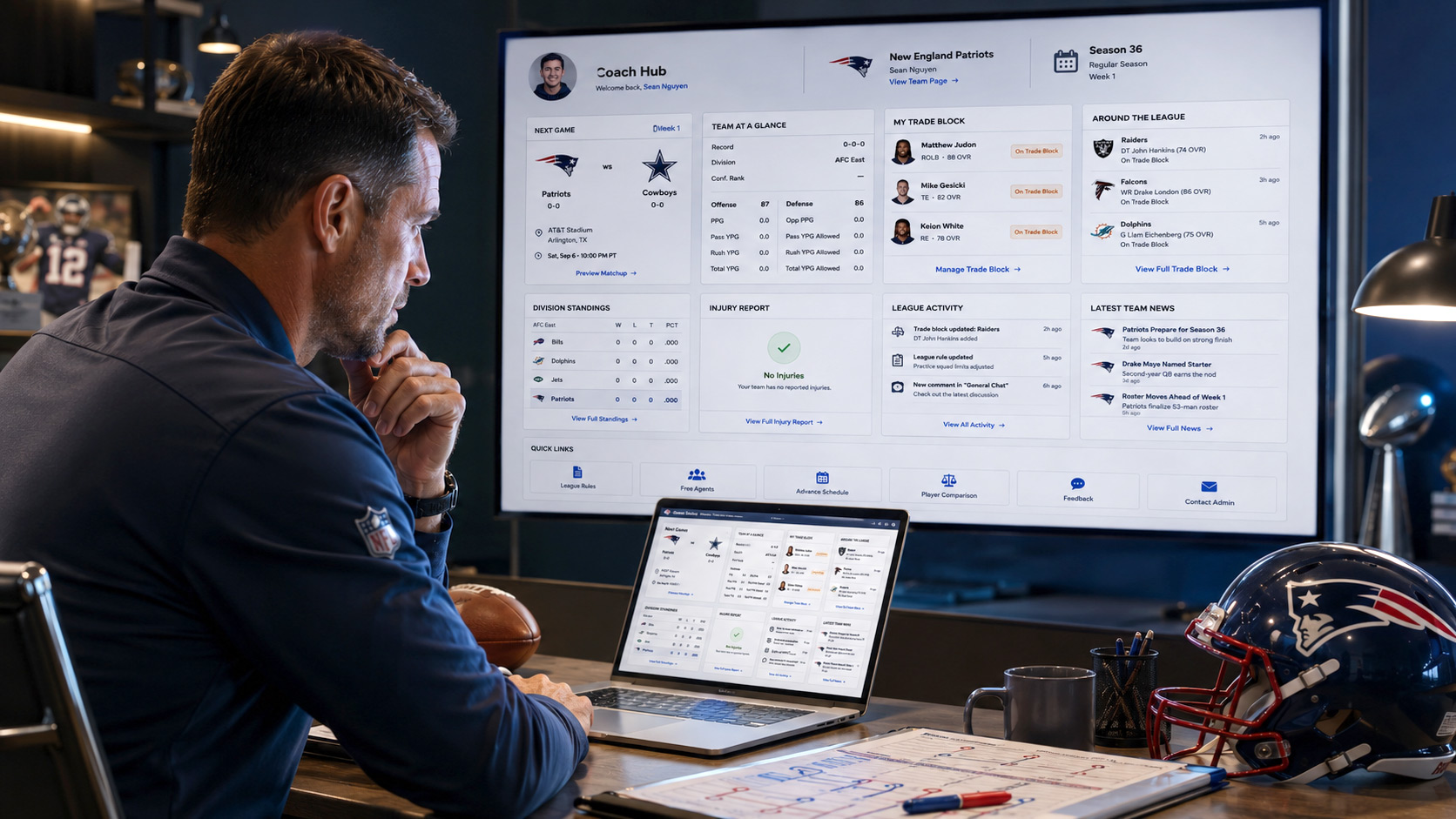
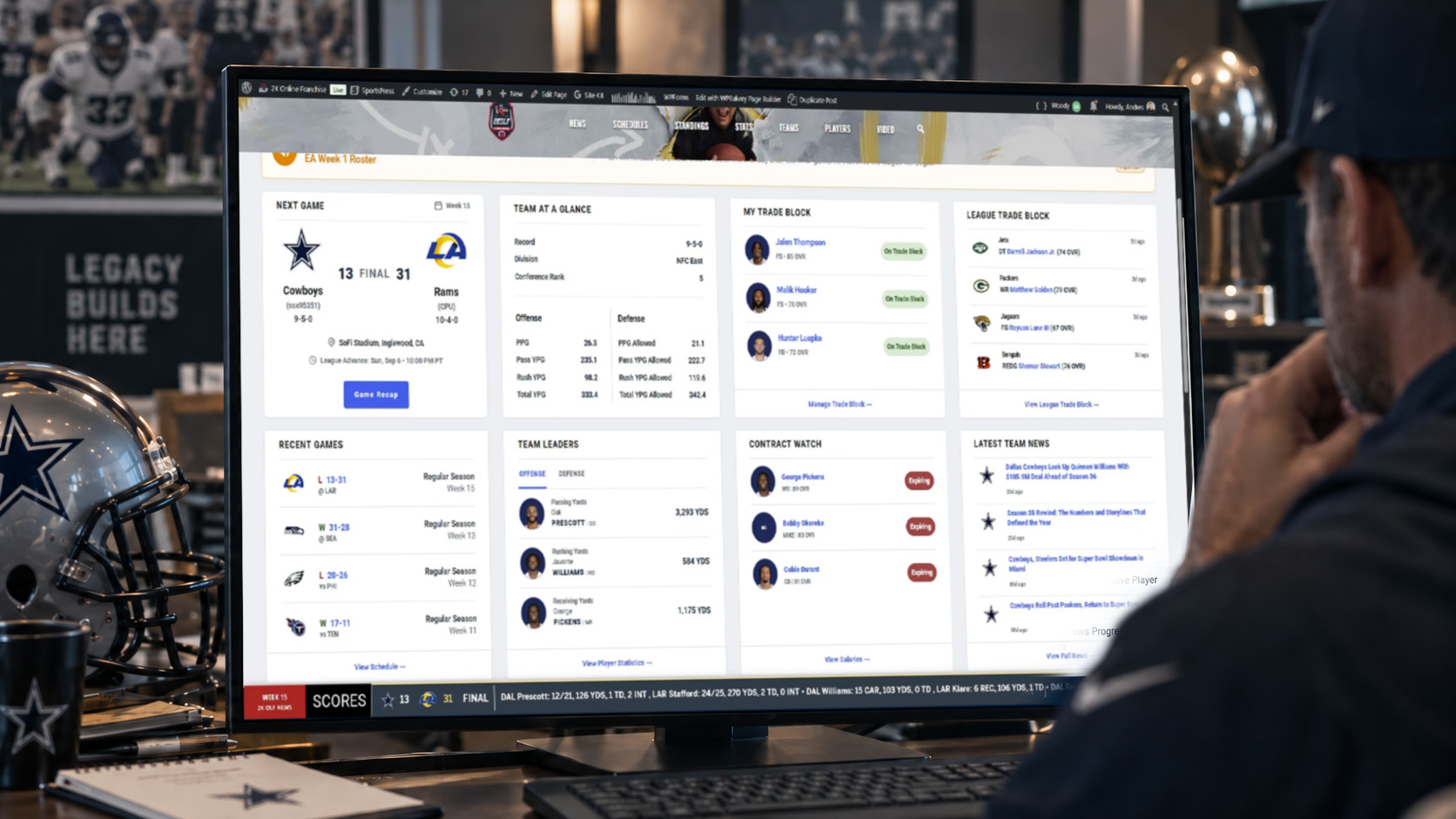
Coach Hub is personalized around the team you control. After your account has been connected to your Season 36 team, Coach Hub will automatically recognize your assignment and display information for that team.
That includes things like:
- your next game
- team statistics
- recent games
- team leaders
- contract information
- injuries
- your Trade Block
- division standings
- team news
- league activity
Two coaches can visit the same Coach Hub page and see completely different information because the dashboard is built around each coach's team.
If Your Team Is Wrong
If Coach Hub shows the wrong team, or you do not see a team assigned to your account, contact league administration.
Do not create another account.
We can correct the assignment on our end.
BottomLine
When you are logged in as a Coach Hub member, you will also see BottomLine along the bottom of the site.
BottomLine keeps league information visible while you move around 2KOLF.com and can include:
- scores
- league news
- transactions
- standings
- statistical leaders
- Breaking News alerts
You do not have to remain on the Coach Hub dashboard to see it.
If a BottomLine category has no information to display, it will automatically skip to the next available category.
Profile Picture
A profile picture is optional.
Coach Hub currently uses Gravatar for profile images.
If you have a Gravatar associated with the same email address you use for your 2K OLF account, that image can appear automatically on your Coach Hub profile.
If you do not use Gravatar, Coach Hub will still work normally without a custom profile image.
We may add additional profile-image options directly through 2K OLF in the future.
Trade Block
Coach Hub includes a built-in Trade Block system.
You can add players from your team to My Trade Block, where they will remain listed until you remove them.
Other coaches can see available players through League Trade Block.
Use the Trade Block to show the league which players you are open to moving, but all actual trade discussions and approvals still follow normal league rules.
Commissioner Notices
Important league information may appear at the top of Coach Hub as a Commissioner Notice.
Some notices may be sent to the entire league, while others may only appear for specific coaches.
Make sure to check Coach Hub regularly so you do not miss important reminders or league updates.
Feedback and Contact Admin
Coach Hub includes built-in Feedback and Contact Admin tools.
Use Feedback if you:
- find a problem
- have an idea
- want to suggest an improvement
Use Contact Admin if you need direct help from league administration.
Having Trouble Logging In?
If you cannot log in, cannot access Coach Hub, or something about your account looks incorrect, contact league administration.
Please do not create multiple accounts to try to fix the problem.
Season 36
Coach Hub access will officially open when Season 36 begins.
Your website account can be created ahead of time, but your Coach Hub team assignment will not be activated until you officially take control of your team in Madden.
Once your team assignment is active, Coach Hub will automatically personalize the dashboard around your team.
Welcome to Coach Hub.